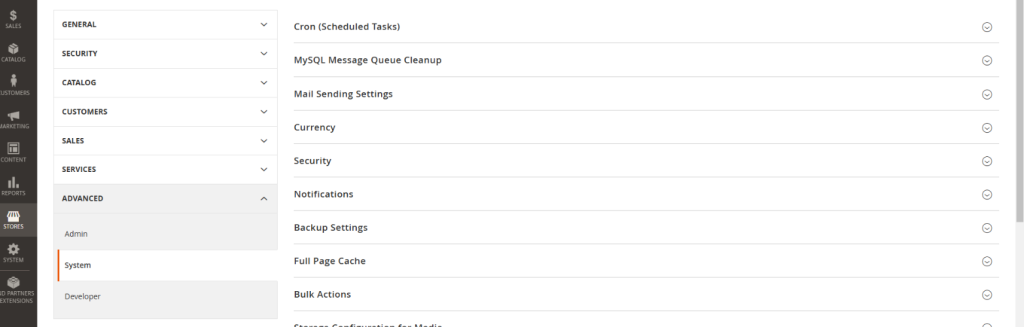
Magento cron jobs play a vital role in automating tasks, but when they run inefficiently, they can significantly impact your store’s performance. Identifying and fixing slow cron jobs is essential to maintaining smooth operations and optimal user experience. This guide provides actionable steps, examples, and strategies to diagnose and resolve cron job issues effectively.Magento cron jobs play a vital role in automating tasks, but when they run inefficiently, they can significantly impact your store’s performance. Identifying and fixing slow cron jobs is essential to maintaining smooth operations and optimal user experience. This guide provides actionable steps, examples, and strategies to diagnose and resolve cron job issues effectively.
Signs of Slow Cron Jobs
Slow cron jobs can manifest in various ways, including:
Delayed Order Processing: Customers experience delays in receiving order confirmations and updates.
Prolonged Indexing Times: Product and category updates take longer than expected.
High CPU and Memory Usage: Cron jobs consume excessive server resources, affecting overall site performance.
Database Locking Issues: Operations are delayed or interrupted due to locked database tables.
If your Magento store exhibits these symptoms, it’s time to investigate your cron job configuration.
Steps to Diagnose Slow Cron Jobs
1. Use Monitoring Tools
Monitoring tools like HTOP or TOP provide real-time data on server performance. These tools help you:
Identify long-running cron processes.
Detect jobs consuming excessive CPU or memory.
Example: Run Htop in your server terminal and sort processes by resource usage to pinpoint problematic cron jobs.
To locate cron-related logs, check files in /var/log/ or enable logging via the admin panel if disabled.
Strategies to Fix Slow Magento Cron Jobs
1. Optimize PHP and Server Resources
Increase PHP Memory Limits: Edit your php.ini file to allocate sufficient memory for cron jobs.
memory_limit = 512M
Upgrade Server Resources: Consider scaling your server’s CPU and RAM to handle resource-intensive processes.
2. Adjust Batch Sizes
For resource-heavy processes like indexing:
Reduce batch sizes to process smaller chunks of data.
Modify batch size settings in app/etc/env.php to prevent server overload.
Example:
					'indexer' => [
    'batch_size' => 100,
],
3. Disable Redundant Jobs
Identify and disable cron jobs that are unnecessary or redundant:
Jobs related to unused modules (e.g., third-party integrations).
Frequent jobs with minimal impact on store functionality.
Example:
Disable a specific job using the Magento CLI:
bin/magento cron:remove <job_code>
4. Use Application Locking Mode
Enable application locking mode to prevent multiple instances of the same job from running simultaneously. This reduces resource contention and ensures jobs complete efficiently.
Command to Enable:
bin/magento config:set cron/lock_enabled 1
Preventive Measures
1. Regular Maintenance
Review and optimize cron job schedules periodically.
Update extensions to ensure compatibility and performance improvements.
Example: Regularly review and optimize cron job schedules to prevent performance bottlenecks. Adobe’s official Performance Best Practices for Configuration provides comprehensive guidance to ensure your Magento setup runs efficiently.
2. Separate Servers
For high-traffic stores, run cron jobs on a dedicated server to avoid performance conflicts with customer-facing operations.
3. Profile Cron Jobs
Use tools like Blackfire to profile individual cron jobs. This helps identify and address specific bottlenecks in execution.
Additional Use Cases and Best Practices
Automating Log Cleanup:
Use cron jobs to automatically clear outdated logs and cache files, reducing database size and improving overall performance.
Command Example:
bin/magento log:clear
Scheduling Non-Critical Jobs During Off-Peak Hours:
Run non-essential tasks, such as report generation or product data exports, during low-traffic times to free up resources for customer interactions.
Monitoring Third-Party Modules:
Ensure third-party module cron jobs are not overloading the server. Disable or reschedule unnecessary jobs through the admin panel or CLI.
Final Thoughts
Diagnosing and fixing slow cron jobs in Magento is essential for ensuring seamless store operations and customer satisfaction. By monitoring performance, optimizing resource allocation, and disabling unnecessary tasks, you can maintain a high-performing store. Regularly review and refine your cron configurations to stay ahead of potential performance issues.
Looking for Magento Experts?
Our certified specialists at 5MS are here to supercharge your e-commerce success.