
Amazon PPC optimization in 2026 is no longer optional, it’s survival. Amazon’s average CPC hit $1.18 in 2026, up 15.5% year-over-year. ACoS is climbing industry-wide, and 70% of sellers now run ads, up from just 40% five years ago. If your Amazon PPC campaigns are still running on 2023 playbooks, you’re not just wasting spend, you’re funding Amazon’s $69 billion ad business with your margin. This guide gives you the actual 2026 framework for Amazon PPC optimization: campaign structure template, break-even ACoS calculator, weekly optimization workflow, and the exact changes that separate 15% ACoS accounts from 45% ACoS accounts.
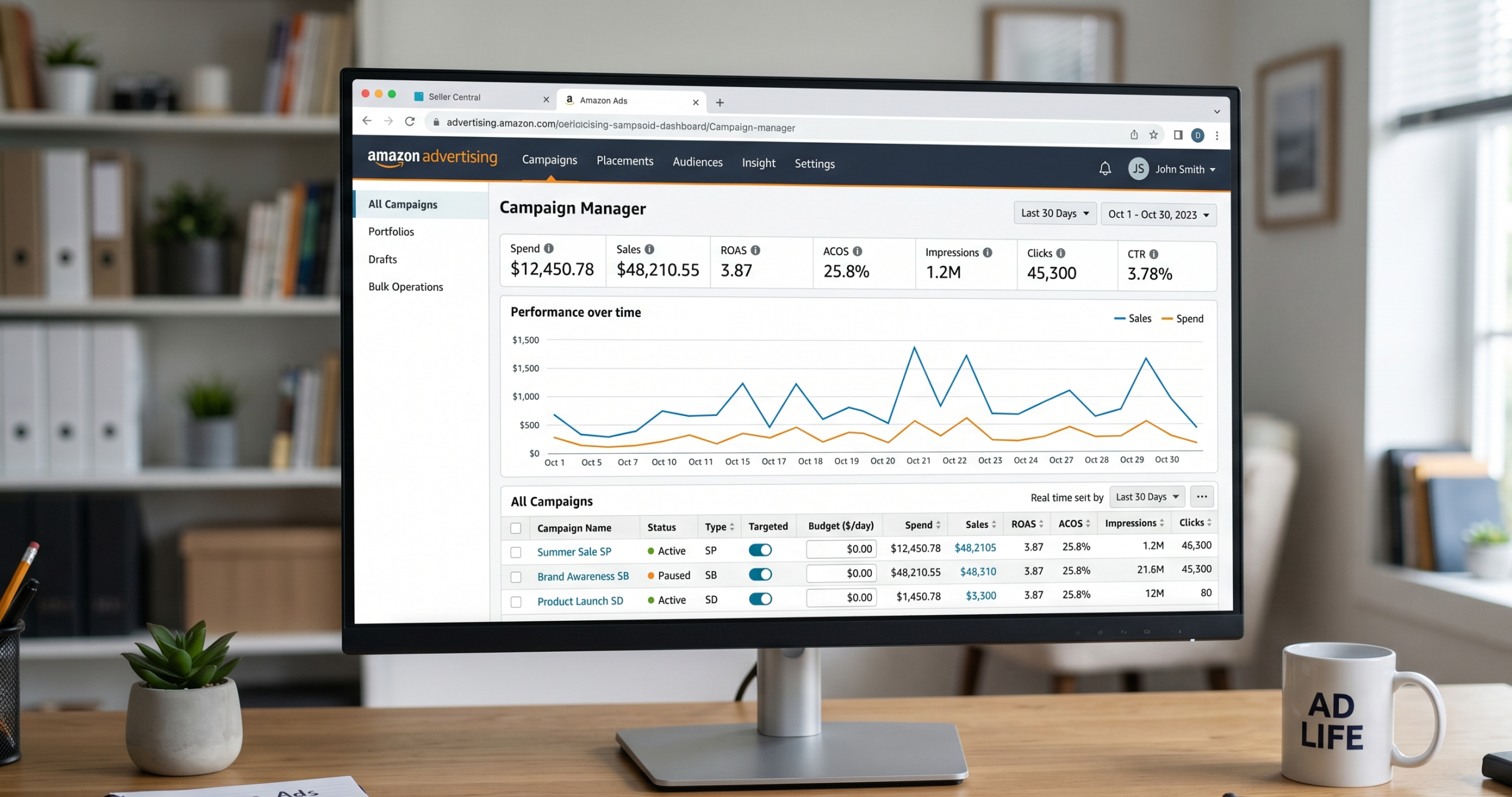
The Amazon PPC Math That Actually Matters in 2026
Most Amazon PPC optimization guides will drown you in tactics before you understand the numbers those tactics are supposed to move. Stop. Before you touch a single bid, you need four metrics under complete control, and this foundation governs every other decision in your Amazon PPC strategy.
| Metric | Formula | What it tells you | 2026 benchmark |
|---|---|---|---|
| CPC | Spend ÷ Clicks | Auction efficiency | $0.75 – $3.50 |
| ACoS | Ad Spend ÷ Ad Sales × 100 | Campaign-level profitability | 22% – 35% |
| TACoS | Ad Spend ÷ Total Sales × 100 | Overall brand advertising health | 8% – 15% |
| Break-even ACoS | Profit Margin % | The line between profit and loss | Your product’s margin |
The one metric that dominates the other three
Your break-even ACoS equals your profit margin after all costs (COGS, Amazon fees, shipping, returns). If your margin is 30%, your break-even ACoS is 30%. Anything above that, you’re losing money on each ad-driven sale. Anything below it, you’re profitable.
This single number tells you whether any campaign, keyword, or bid is acceptable. Most sellers obsess over “is 25% ACoS good?” without knowing that on a 20% margin product, 25% ACoS is catastrophic, and on a 60% margin product, it’s underutilising your advertising potential.
ACoS only sees ad-attributed sales. TACoS sees everything. If ACoS is 35% but TACoS is 11%, your ads are driving organic ranking, the high ACoS is working. If ACoS is 25% but TACoS is 23%, your ads are cannibalising organic sales you’d get anyway. Always read them together. For Amazon’s own definition and best practices, see the Amazon Ads getting started guide.
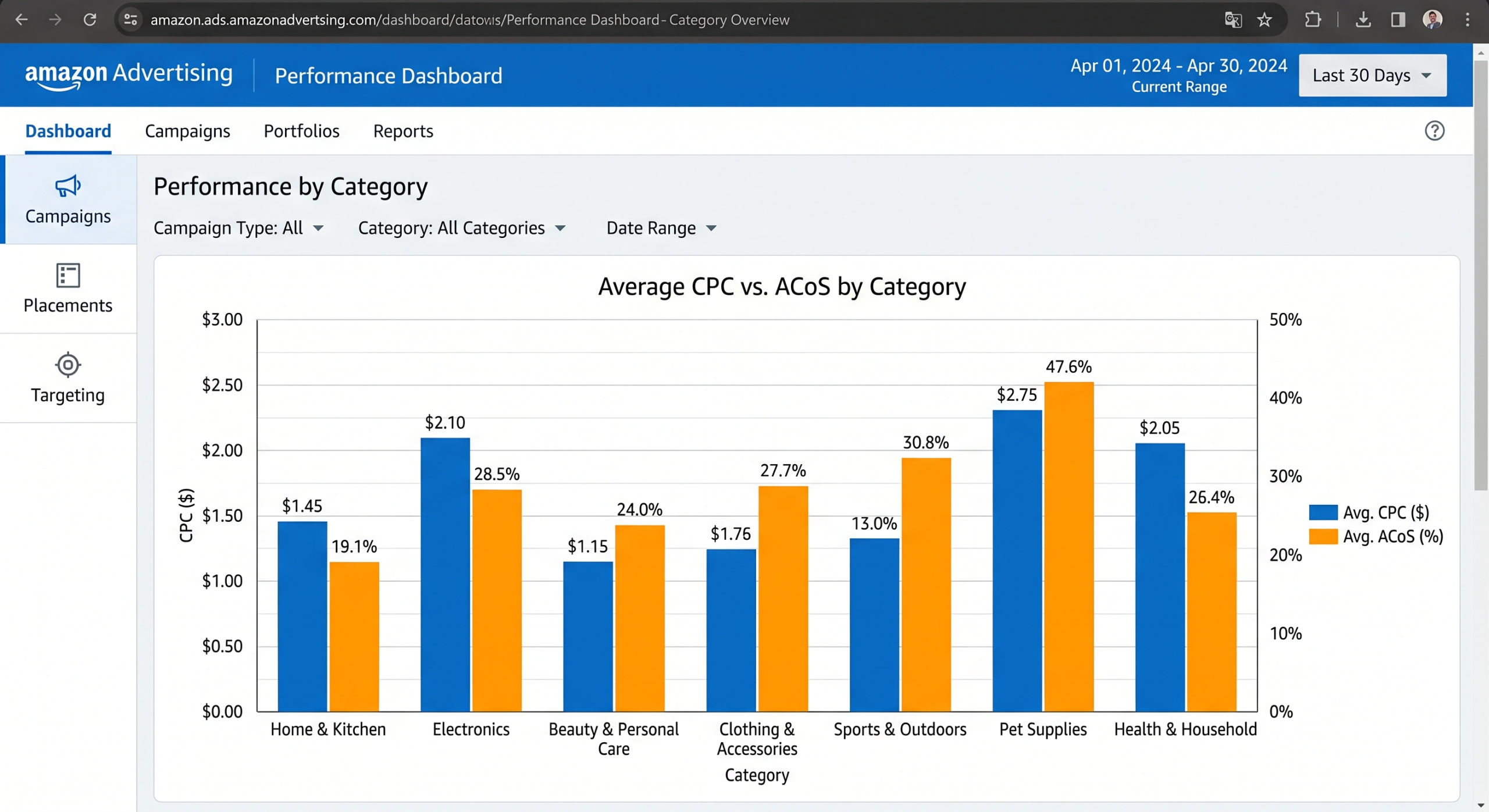
2026 Amazon PPC Optimization Benchmarks by Category
These are actual working averages from aggregated 2026 data across Ad Badger, Jungle Scout, Helium 10 and Trellis platform data. Your CPC target should be informed by where you sit here, not a generic $1 benchmark.
| Category | Avg CPC | Target ACoS | Conversion Rate |
|---|---|---|---|
| Electronics | $1.80 – $4.50 | 25 – 35% | 7 – 10% |
| Health & Household (Supplements) | $2.50 – $6.00+ | 30 – 45% | 6 – 9% |
| Beauty & Personal Care | $1.20 – $3.00 | 25 – 38% | 8 – 12% |
| Home & Kitchen | $0.95 – $2.50 | 20 – 32% | 10 – 14% |
| Clothing & Apparel | $0.70 – $1.80 | 25 – 40% | 6 – 9% |
| Sports & Outdoors | $0.90 – $2.20 | 22 – 32% | 9 – 13% |
| Pet Supplies | $0.80 – $1.90 | 20 – 30% | 11 – 15% |
| Toys & Games | $0.55 – $1.40 | 18 – 28% | 10 – 14% |
| Office Products | $0.85 – $2.10 | 22 – 34% | 9 – 13% |
| Baby Products | $0.95 – $2.30 | 22 – 33% | 10 – 14% |
2026 benchmarks by ad format
| Ad Type | Avg CPC | Best for |
|---|---|---|
| Sponsored Products | $0.75 – $1.50 | Direct response, bottom-funnel conversion |
| Sponsored Brands | $1.00 – $2.50 | Brand awareness, collection promotion |
| Sponsored Display | $0.35 – $3.00 | Retargeting, competitor targeting, off-Amazon |
| Amazon DSP | $3.00 – $8.00 | Enterprise-scale programmatic display |
Average CPCs spike 60-80% during Prime Day and Q4 peak weeks, pushing $1.18 averages up to $1.45+ across most categories. Sellers treating ad budgets as fixed monthly numbers get crushed during these windows. Build a quarterly bid calendar and pre-fund peak periods from off-peak savings.
Break-even ACoS & Target CPC Calculator
This is the calculation Amazon will not do for you. Enter your product economics to see your break-even ACoS, your recommended target ACoS, and the maximum CPC you should bid at your expected conversion rate. Then use it every time you launch a new SKU.
Amazon PPC Calculator
All figures in USD. Formulas based on industry-standard Amazon profit math.
Break-even ACoS is your red line, never tolerate a keyword’s ACoS above this for more than 14 days without action. Target ACoS leaves room for profit (10% below break-even by default). Max CPC is the highest bid you can place and still hit target ACoS at your conversion rate, set all bids at or below this for non-priority keywords.
The 2026 Amazon PPC Campaign Structure That Actually Scales
The single most expensive mistake we see in audits is campaign spaghetti, five ad groups per campaign, mixed match types, brand and non-brand keywords in the same campaign, no logical separation. You cannot optimise what you cannot see. Every time you mix, you mask.
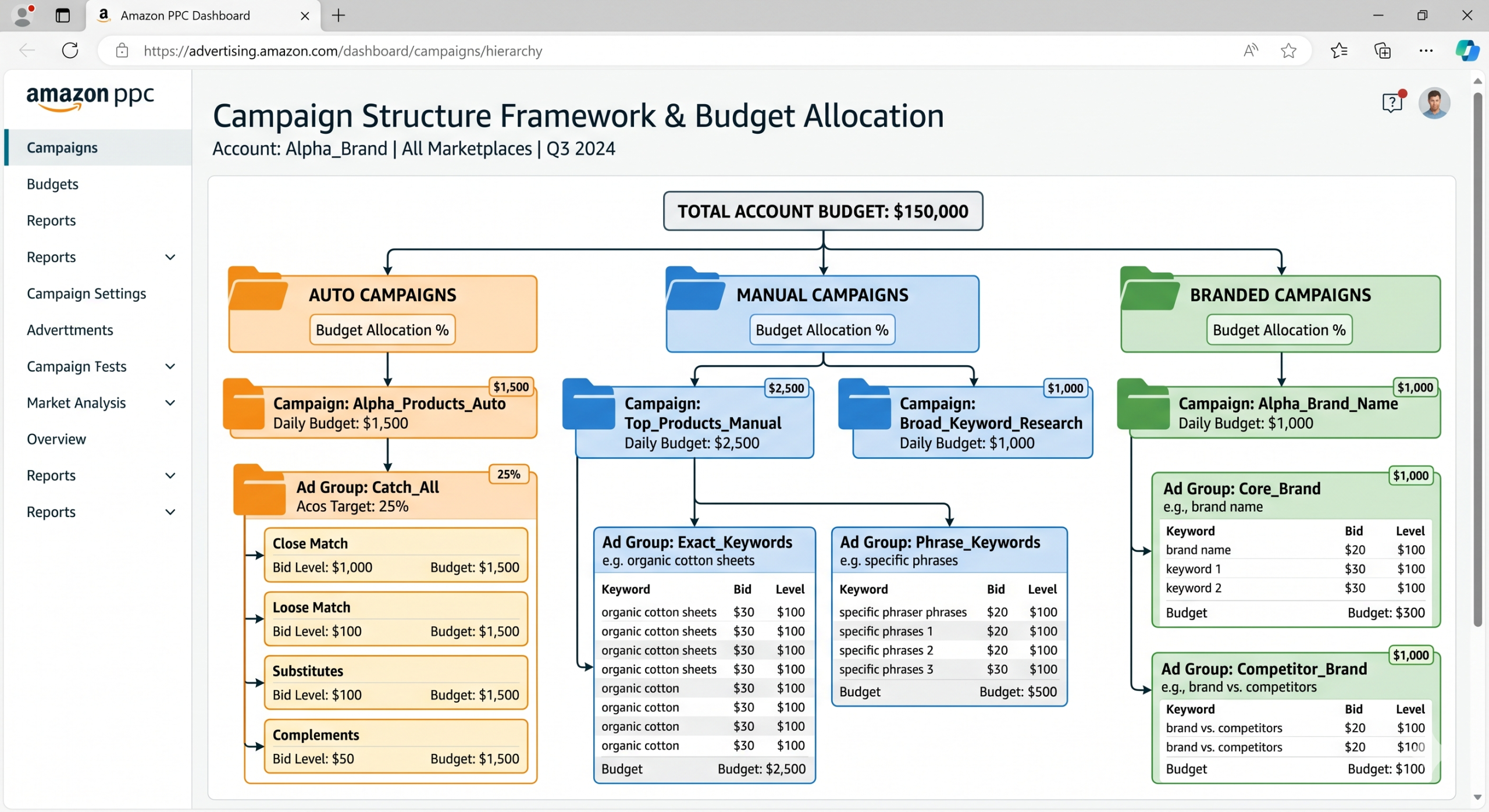
Use this exact structure as your default for any product. Split campaigns by intent (discovery vs conversion vs brand defence) and by match type (exact gets its own campaigns with its own budget and ACoS targets).
├── SP-Auto (discovery, 10% of budget)
│ ├── Loose match
│ ├── Close match
│ ├── Substitutes
│ └── Complements
├── SP-Manual-Broad (keyword research, 15% of budget)
├── SP-Manual-Phrase (mid-funnel, 15% of budget)
├── SP-Manual-Exact (conversion, 40% of budget)
├── SP-Branded-Exact (brand defence, 5% of budget)
├── SP-PAT-Competitor (steal market share, 10% of budget)
└── SB + SD (retargeting) (5% of budget)
Why this structure wins
- Auto campaigns run at 10% because their job is discovery, not scaling. They feed your manual campaigns.
- Exact-match campaigns get 40% because they carry proven, high-intent keywords with the lowest ACoS. This is where scaling happens.
- Branded exact gets its own campaign so the artificially low branded ACoS (typically 8-15%) doesn’t mask high-ACoS category keywords.
- Product targeting (PAT) is siloed so you can see exactly what you’re earning from competitor ASINs without it being blended with keyword data.
Never mix branded and non-branded keywords in the same campaign. Branded terms have 22% conversion and 8-15% ACoS; category terms have 4-8% conversion and 35-60% ACoS. Blended, they hide each other’s performance, and you cannot make good bid decisions. Separate ruthlessly.
The Amazon PPC Campaign Naming Convention That Saves Hours
Once you have 40+ campaigns, your reports become unreadable without a convention. Adopt this exact naming system from day one. Every element is pipe-separated, so you can filter and pivot instantly in Excel or your reporting tool.
Format:
[GOAL] | [PRODUCT] | [AD-TYPE] | [TARGETING] | [MATCH]
Example campaigns
| Campaign Name | What it tells you instantly |
|---|---|
GROWTH | WIRELESS-CHARGER | SP | KW | EXACT |
Growth goal, wireless charger product, Sponsored Products, keyword-targeted, exact match |
RANK | YOGA-MAT | SP | AUTO | N/A |
Ranking-focused auto campaign for yoga mats |
DEFEND | BRANDX | SP | KW | EXACT |
Brand defence exact-match campaign |
STEAL | WIRELESS-CHARGER | SP | PAT | COMP-ASIN |
Competitor conquesting via product targeting |
GROWTH = scale sales · RANK = push organic ranking (accept higher ACoS) · DEFEND = brand protection · STEAL = competitor conquest · TEST = experimental, limited budget · MAINTAIN = hold position efficiently. Each goal demands a different ACoS target.
Amazon PPC Keyword Research That Actually Converts (Not Just Ranks)
Most keyword research tools give you volume. Volume is a trap. A keyword with 50,000 monthly searches that converts at 2% wastes money; a keyword with 800 searches that converts at 14% prints money. Here’s the framework.
Mine your auto campaign search term report weekly
After 14-21 days, download the search term report. Filter for search terms with 3+ orders AND ACoS below your break-even. These are proven converters, move them into your SP-Manual-Exact campaign at 1.2x the auto-campaign CPC they came in at.
Reverse-ASIN your top 5 competitors
Use Helium 10 Cerebro, Jungle Scout Keyword Scout, or DataDive. Export keywords where competitors rank in positions 1-10 organically. Filter for search volume above 500 and relevancy above 7. These are pre-validated conversion keywords.
Build three keyword tiers by intent
Tier 1 (head terms): Generic category keywords like “wireless charger”. High volume, low conversion. Bid defensively. Tier 2 (modifier terms): “wireless charger for iPhone 15”. Medium volume, 2x conversion rate. This is your sweet spot. Tier 3 (long-tail): “15W fast wireless charger iPhone 15 Pro Max”. Low volume, 3-4x conversion rate, lowest CPC. Bid aggressively.
Target backend keywords separately
Add secondary keywords and misspellings to your listing’s backend search terms (up to 250 bytes). These help you rank organically without needing to bid on them in PPC, reducing your effective CPC on covered terms.
Your target CPC should be no more than 2.5% of your product price, assuming a 10% conversion rate and 25% ACoS. For a $30 product, max CPC is ~$0.75. For a $100 product, ~$2.50. Adjust up or down based on your actual conversion rate. Above this line, your maths starts to fail. If your listings aren’t converting at industry-standard rates, consider working with an ecommerce content marketing team to strengthen your product copy and A+ Content before scaling ad spend.
The Negative Keyword System That Saves 20-40% of Ad Spend
In the average unaudited Amazon account, 20-40% of ad spend goes to search terms that will never convert. Not “probably won’t”. Will never. These are search terms where your product category or feature set is fundamentally a mismatch, and without aggressive negative keyword hygiene, you’re bleeding money on every click. If your account is running at 35%+ ACoS and you’ve never done a full negatives audit, that’s almost certainly where your budget is going. Our team runs this audit in 2-3 hours and typically recovers 25-40% of wasted spend in the first week.
The three negative keyword types
| Type | Use when | Example |
|---|---|---|
| Negative Exact | A specific term is wasting spend | Your product is silicone; block “ceramic” |
| Negative Phrase | Any variant of a phrase is irrelevant | Selling adult jackets; block “kids” (blocks all variants) |
| Negative Product (ASIN) | Irrelevant product pages are eating clicks | Competitor ASIN with totally different use case |
The weekly negatives workflow
Every Monday, 15 minutes
- Download last 7 days’ Search Term Report from Campaign Manager
- Filter: 8+ clicks, 0 orders → add as Negative Exact
- Filter: 15+ clicks, ACoS more than 2× target → add as Negative Exact
- Filter: Irrelevant theme (wrong use case, wrong size, wrong audience) → add as Negative Phrase
- Apply negatives at the campaign level, not ad group, unless there’s a specific ad group reason
- Cross-check against your exact-match campaign keywords, never negate a keyword you’re actively bidding on elsewhere
Standard industry rule: if a search term has 2× your target CPA in spend with zero orders, negate it. Example: target CPA is $8, a search term has spent $16 with 0 orders across 14+ clicks, negate. Don’t wait for the 30th click “just in case”. It isn’t.
Amazon PPC Bid Optimization by Keyword Role
A single bid strategy across all keywords is the hallmark of an underperforming account. Every keyword has a role, and each role demands different bid logic, different ACoS tolerance, and different weekly attention.
| Keyword Role | Target ACoS | Bid strategy | Review cadence |
|---|---|---|---|
| Brand defence | 8 – 15% | Bid high (top of search); CPC is low, ROI is huge | Monthly |
| Proven converters | Break-even − 5% | Increase 10% weekly until impression share caps | Weekly |
| Ranking plays | Break-even + 20% | Tolerate loss to push organic rank; watch TACoS | Weekly |
| Discovery / new keywords | Break-even × 1.5 | Start at 0.5× suggested bid, ramp if converting | Bi-weekly |
| Competitor targeting | Break-even + 10% | Bid aggressively, retarget with Sponsored Display | Weekly |
| Long-tail | Break-even − 10% | Bid precisely at target; low CPC, high CVR | Bi-weekly |
Dynamic bidding: when to use which
- Down Only: Default for new campaigns and discovery. Amazon reduces bids when conversion is unlikely.
- Up and Down: For proven, high-converting keywords. Amazon pays up to 100% more on top-of-search when it predicts conversion. Use when you have data and trust the auction.
- Fixed: Rarely useful. Only for brand defence or when you’ve tested both dynamic options and one is outperforming.
Top-of-search placement converts 2-3× higher than rest-of-search, but CPCs on top-of-search can be 50% higher too. Use placement multipliers (+25% to +100%) strategically, only on your proven converter keywords. Applied broadly, they inflate ACoS without the matching conversion lift.
Dayparting, Placement & Seasonal Strategy
Dayparting: stop funding 3am clicks
Amazon doesn’t natively offer dayparting, but every serious account manages it, either through third-party tools (Ad Badger, SellerApp, Sellozo, Perpetua) or by manually adjusting budgets and bid modifiers during low-converting hours.
Why it matters: for most B2C products, conversion rates between 2am and 6am are 40-70% lower than peak hours (typically 6pm-11pm). Yet CPCs stay constant. You’re paying peak prices for off-peak conversion rates, and that single imbalance can swing ACoS 5-15%.
Pull your hourly conversion data
In Seller Central → Reports → Business Reports → Sales Dashboard. Export the last 90 days by hour. Identify your bottom 25% hours by conversion rate.
Cut bids 30-50% during dead hours
If you’re using a dayparting tool, set rules to reduce bids in those low-conversion windows. If manual, use scheduled budget caps or reduce campaign budgets to throttle spend during those windows.
Reinvest in peak hours
Redirect the saved budget to your top-performing 4-hour window with increased bids (+15-25%). Same total spend, materially better ACoS.
Seasonal bid calendar
CPCs fluctuate predictably. Build these adjustments into your annual plan:
| Period | CPC change | Strategy |
|---|---|---|
| January – February | −10 to −15% | Cheapest quarter; stock-up on keyword rankings |
| Prime Day (July) | +40 to +60% | Pre-fund; accept higher ACoS for 2x conversion surge |
| Q4 peak (Nov-Dec) | +60 to +80% | Tighten negatives aggressively; bid to protect rank |
| Post-holiday (late Dec – Jan) | −15 to −20% | Cheap clicks on warm-weather products |
“The biggest 2026 shift isn’t CPC inflation, it’s that the hero image now determines whether rising CPCs kill you. When every click costs 15% more than last year, a weak main image isn’t just a conversion issue; it’s an existential one. Audit the image before you audit the bid.”
, Paraphrased from Niks Saknitis, PPC Manager, as quoted in Innels 2026 PPC analysis
The Weekly Amazon PPC Optimization Workflow
Reactive optimization is why most accounts flatline. You log in when ACoS looks bad, make emotional bid cuts, and wonder why performance never stabilises. Replace that with a rules-based weekly Amazon PPC optimization rhythm. Block 60 minutes every Monday. Do these six things in order, every week, without fail.
Monday PPC Workflow, 60 minutes total
- (10 min) Review KPIs week-over-week: Total spend, total sales, ACoS, TACoS, CPC, CTR, CVR. Note any metric that moved more than ±15%.
- (15 min) Search Term Report scrub: Download STR for last 7 days. Apply 14-click rule to add negatives. Harvest new converters (3+ orders, ACoS under break-even) into Exact campaigns.
- (10 min) Bid adjustments on proven keywords: For keywords with 30+ clicks and 7 days of data, if ACoS is below target, bid up 10%; if above target by more than 20%, bid down 10%. Nothing drastic.
- (10 min) Budget reallocation: Identify campaigns hitting daily budget before 6pm (under-budgeted winners) and campaigns spending less than 50% of daily budget (bleeders). Move spend from bleeders to winners.
- (5 min) Placement check: Top-of-search converting better than rest-of-search by 2x or more? Add a +25% placement multiplier. Only on campaigns with 100+ clicks of data.
- (10 min) Listing conversion review: Your #1 non-PPC lever. Check CVR trend. If CVR dropping, audit main image, price, reviews, A+ Content before touching more bids.
Once a month, extend the Monday review to 2 hours. Add: full campaign structure audit, match-type distribution check, underperforming SKU review, Prime Day / Q4 prep planning, budget reforecast against monthly targets, and review of all negative keyword lists.
Do not make bid changes every day. Amazon’s attribution takes 48+ hours to settle, and knee-jerk bid cuts based on one bad day create noise, not control. Unless your daily budget is being blown in 2 hours or ACoS is suddenly 3x your target, hold fire until Monday.
10 Costly Amazon PPC Optimization Mistakes in 2026
These are the exact patterns we see in 80% of underperforming accounts during audits. If any of them are familiar, they’re where your quickest wins live.
Running without a known break-even ACoS
You cannot set targets if you don’t know the line between profit and loss. Use the calculator above first, everything else after.
Mixing branded and non-branded in one campaign
Branded terms mask non-branded inefficiency. You’ll keep running unprofitable category keywords because the blended ACoS looks fine.
Ignoring negative keywords
20-40% of spend on wasted clicks is the norm without active negative management. 15 minutes a week reclaims it.
Scaling ad spend on a weak listing
If CVR is below category average, PPC just surfaces the weakness faster. Fix main image, A+ Content, and reviews first; ads second. For a full audit of your listing conversion and store performance, our ecommerce digital marketing team can help identify where your PPC spend is being wasted.
Watching ACoS without TACoS
A campaign can have high ACoS and still be strategically profitable if it’s driving organic ranking (falling TACoS). Track both or fly blind.
Leaving auto campaigns on autopilot
Auto is for discovery, not scale. Review weekly, harvest converters into manual exact, negate non-converters. Never set-and-forget.
Daily bid changes based on 24-hour data
Amazon attribution settles over 48+ hours. Weekly rhythm beats reactive adjustments every time.
Cutting budget instead of improving efficiency
Budget cuts reduce total spend but don’t improve ACoS. Negative keywords, dayparting, and placement targeting do.
Same bid strategy for all keyword roles
Brand defence, converters, and discovery need different ACoS tolerances and different bid logic. One-size bidding destroys margin.
Ignoring Sponsored Display retargeting
Sponsored Display CPCs start at $0.35 and retarget people who already viewed your product. Add a retargeting campaign today; it often carries the lowest ACoS in the account.
How to Approach Amazon PPC Optimization in 2026: The Short Answer
Successful Amazon PPC optimization in 2026 starts with calculating your break-even ACoS (equal to your post-fees profit margin), separating campaigns by intent and match type (auto, broad, phrase, exact, branded, competitor PAT), harvesting converting search terms from auto into manual exact campaigns weekly, aggressively negating non-converting terms after 14 clicks with zero orders, and running a 60-minute Monday workflow that reviews KPIs, bids, budgets, placements, and listing CVR in that order.
The 10-point priority list:
- Know your break-even ACoS before touching a single bid.
- Split campaigns by intent, never mix branded with non-branded.
- Use the 8-campaign template per product (auto, 3 manual match types, branded, PAT, plus SB/SD).
- Adopt a pipe-separated naming convention so reports are filterable.
- Harvest converting search terms weekly from auto to manual exact.
- Negate ruthlessly, 14 clicks, 0 orders, gone.
- Bid by keyword role, not by blanket strategy.
- Daypart to cut 3am clicks and reinvest in peak hours.
- Run the Monday 60-minute workflow without exception.
- Track ACoS and TACoS together, never one alone.
Most accounts compress ACoS from 35-45% down to 15-25% within 60-90 days of adopting this framework, without reducing total ad sales. The difference isn’t secret tactics; it’s discipline. Calculate break-even. Structure cleanly. Negate aggressively. Review weekly. Hold the line. Need help implementing this across a live Amazon account? Our ecommerce agency team runs this exact framework for UK brands.
Frequently Asked Questions
Sources & further reading
- Ad Badger, Amazon Advertising Stats 2026 Update (adbadger.com)
- Trellis, Amazon Ads Benchmarks by Category 2026
- SellerPlex, Amazon PPC Cost in 2026: What You’ll Actually Pay
- Sequence Commerce, Amazon Advertising Statistics 2026
- Karooya, Understanding Amazon ACoS: Targets, Benchmarks, and Optimization 2026
- Xneeti, Amazon Ads Cost 2026: CPC, Budget & Cost benchmarks
- SellerSprite, Amazon PPC Optimization Playbook 2026
- Innels, Amazon PPC in 2026: What Changed, What Works Now
- Bridgeway Digital, Amazon PPC Metrics Explained (ACoS, TACoS, CTR, CPC)
Data verified April 2026. Benchmarks represent industry averages from aggregated seller data across multiple PPC platforms; individual results will vary significantly by category, product lifecycle, and listing quality.