

Most online stores do not have a traffic problem, they have a user experience problem. You can pour budget into ads and SEO, but if your site is hard to navigate, your product pages do not answer questions, or your checkout asks for too much, the visitors you paid for leave without buying. The average cart abandonment rate sits at around 70%, and a large share of that is avoidable. eCommerce UX is the discipline of fixing it.
This guide is the complete view of eCommerce UX that converts: what it is, the principles that underpin it, and how to apply them to navigation, product pages, checkout, mobile and B2B. It covers Hyvä as the modern standard for fast Magento front-ends, and it draws on the kind of work that has lifted client conversion rates by 32% at 5MS. There is also a free UX audit checklist you can download to score your own store.
Average cart abandonment rate
CVR uplift from 5MS UX work
Possible CVR gain from better checkout
Lost yearly to poor checkout UX
eCommerce UX is the user experience of an online store: how easily and confidently a shopper can find products, understand them, and complete a purchase across every device. Good eCommerce UX removes friction at each step, from navigation and product pages to checkout and mobile, so more visitors convert into buyers. Because most cart abandonment is caused by avoidable friction, UX is one of the highest-return levers in eCommerce, often improving conversion rate without spending a penny more on traffic.
eCommerce UX, short for eCommerce user experience, is the sum of every interaction a shopper has with your online store. It covers how quickly pages load, how easily someone can find what they want, how clearly products are presented, how reassuring the checkout feels, and how well all of that works on a phone. In short, it is the difference between a visitor who buys and one who gives up.
UX is often confused with UI, the user interface. The interface is what the store looks like: the buttons, colours and layout. UX is broader and deeper. It is whether the store actually works for the person using it, whether it answers their questions, removes their doubts, and makes buying effortless. A beautiful site with confusing navigation has good UI and bad UX.
eCommerce UX is also closely tied to conversion rate optimisation. Where UX is the practice of making the store easy and pleasant to use, conversion rate optimisation is the practice of measuring and improving how many visitors take action. Good UX is the foundation that CRO builds on, which is why the two are best treated as one effort.
The commercial case for UX is overwhelming. Research from the Baymard Institute, which has run large-scale checkout usability testing for over a decade, puts the average cart abandonment rate at roughly 70%. It also estimates that around 260 billion dollars in sales are lost each year in the US and EU alone because of poor checkout UX, and that the average large store could lift its conversion rate by about 35% through better checkout design.
The reason UX is such a high-return lever is simple maths. Improving conversion rate works on traffic you have already paid for. If your store converts at 2% and UX work lifts it to 2.6%, that is a 30% increase in revenue from the same visitors, the same ad spend, and the same SEO. In our own work at 5MS, focused UX improvements have lifted client conversion rates by 32%, which flows straight to the bottom line because the cost of acquiring those visitors does not change.
UX also compounds with everything else. Better experience means higher conversion, but also more repeat customers, better reviews, lower support load, and a stronger return on every marketing pound. It is the quiet multiplier behind paid media, email and SEO, and the stores that treat it seriously pull ahead of those that only chase more traffic.
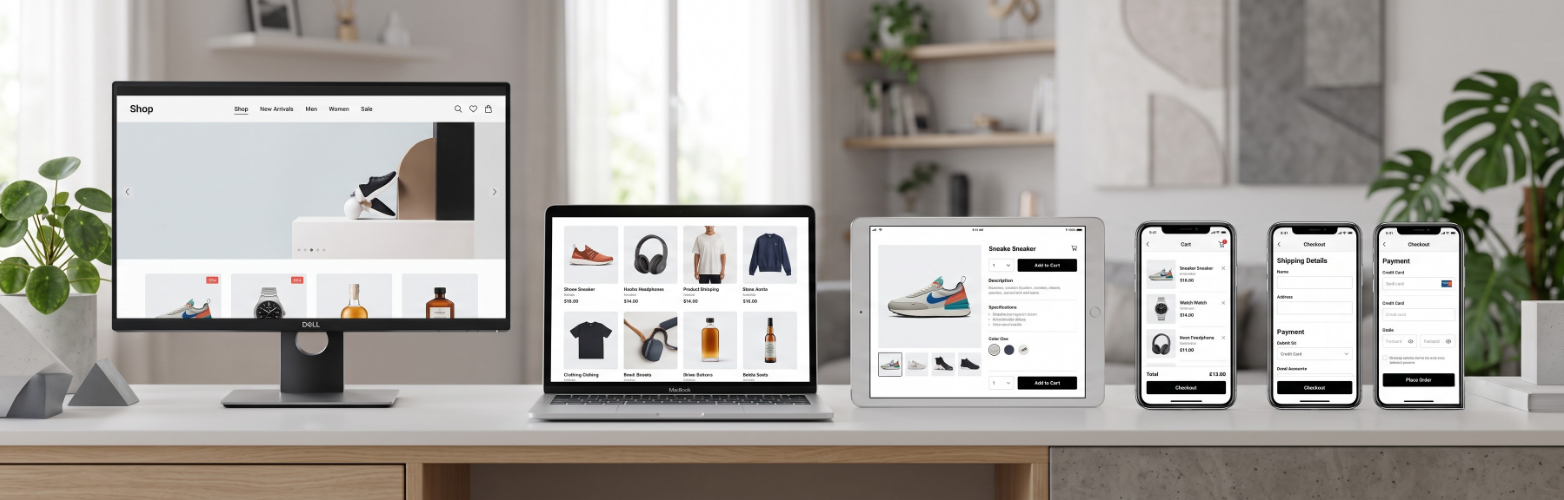
Before the specifics of each page, a handful of principles apply everywhere. Get these right and most of the detailed decisions become obvious.
- Speed is a feature. A slow site fails before UX even begins. Every extra second of load time costs conversions, so performance is the foundation everything else sits on.
- Reduce cognitive load. Every choice, field and distraction taxes the shopper. Remove anything that does not help them decide or buy.
- Be clear, not clever. Familiar patterns and plain labels beat novel designs. People shop on muscle memory, so meet their expectations rather than surprising them.
- Build trust at every step. Reviews, clear pricing, secure-checkout signals and honest delivery information remove the doubts that stop people buying.
- Design mobile-first. The majority of traffic is on phones, so the small screen is the primary design target, not an afterthought.
- Decide with data. Test changes, watch real behaviour through analytics and session recordings, and let evidence settle debates rather than opinion.
Hold these in mind as you read the rest of the guide. Almost every recommendation that follows is one of these principles applied to a specific part of the store.
The product page is where the decision to buy is made. It has to do the job a salesperson would in a shop: show the product clearly, answer every question, and remove every doubt. A weak product page leaks the traffic that navigation worked so hard to deliver.
- High-quality, zoomable images from multiple angles, with video and lifestyle shots where they help. People cannot touch the product, so imagery does the heavy lifting.
- Benefit-led descriptions that answer real questions about fit, materials, use and compatibility, not just a list of specifications.
- Reviews and social proof placed where they reassure, since other customers’ experiences are among the most persuasive content on the page.
- A clear, prominent add-to-cart with obvious pricing, stock status and delivery information close to the button.
- Honest delivery and returns information up front, because uncertainty about cost and returns is a major reason people hesitate.
The test for any product page is simple: could a first-time visitor buy with confidence, without needing to search elsewhere for answers? If not, the gaps are your priority list.
Checkout is the highest-stakes part of the journey. The shopper has decided to buy; your only job is to not get in the way. Yet this is where most stores lose the sale, through avoidable friction. Baymard’s research is clear on the biggest culprits: unexpected extra costs at checkout and being forced to create an account are the two leading reasons people abandon a purchase they were ready to make.
A high-converting checkout follows a few rules:
- Offer guest checkout. Never force account creation. Let people buy first and create an account afterwards if they wish.
- Show all costs early. Surface delivery charges and any fees before the final step, so there are no nasty surprises that trigger abandonment.
- Cut the form fields. Most checkouts ask for far more than they need. Removing and combining fields, with address lookup and autofill, speeds everything up.
- Offer the payment methods people use, including digital wallets like Apple Pay and Google Pay that remove manual entry on mobile.
- Reassure at the moment of payment with security signals, clear returns terms and visible support, right where doubt peaks.
Because the average store can gain around 35% in conversion from better checkout design alone, this is usually the first place to focus a UX audit. For a deeper look, see our guides to Magento conversion rate and checkout optimisation.
Score your own store against the same checklist our team uses, covering navigation, product pages, checkout and mobile. Find the friction costing you sales, and the quick wins to fix first.
For most stores, the majority of traffic now comes from mobile, yet many sites are still designed on a large screen and squeezed down afterwards. That is backwards. Mobile is harder: the screen is small, the connection is often slower, and the shopper is frequently distracted. Designing for mobile first forces the discipline that makes the whole experience better.
- Thumb-friendly targets. Buttons and links must be large enough to tap accurately, with key actions within easy reach of the thumb.
- Fast loading on real networks. Optimise images and code so the store performs on a mid-range phone and a patchy connection, not just office wifi.
- Streamlined mobile checkout. Minimal typing, digital wallets, and autofill matter even more on a phone, where every extra field hurts.
- Readable without zooming. Legible text, clear spacing and obvious tap targets so nobody has to pinch and squint to shop.
Mobile performance and UX are tightly linked, which is one reason fast modern front-ends matter so much. We will come to that with Hyvä shortly.

B2B buyers expect the same ease they get as consumers, but their needs are different. Orders are larger and more frequent, several people may be involved in a purchase, and pricing is often account-specific. Good B2B UX respects that complexity while keeping the experience simple to use.
- Account-specific pricing and catalogues so each customer sees their negotiated prices and the products relevant to them.
- Fast reordering and bulk ordering, including order history, saved lists and the ability to upload an order by SKU and quantity.
- Multi-user accounts and approval workflows that reflect how businesses actually buy, with roles, budgets and sign-off.
- Flexible payment terms, such as purchase orders and credit accounts, presented clearly at checkout.
The mistake many B2B stores make is treating UX as less important because the buyer is a professional. The opposite is true: a buyer placing large, repeat orders feels friction more acutely, and a smooth experience is a genuine competitive advantage.
For Magento and Adobe Commerce stores, the front-end you build on has a huge effect on UX, because it sets the ceiling for speed. The traditional Magento front-end, Luma, carries a lot of heavy JavaScript that slows pages down, especially on mobile. Hyvä is the modern answer, and it has quickly become the standard for new Magento builds.
Hyvä is a modern Magento theme and front-end framework that strips out the bloat and rebuilds the storefront with lightweight, modern tools. The result is dramatically less JavaScript, far faster load times, and much stronger Core Web Vitals scores. For UX, that speed is transformational: pages feel instant, mobile shoppers stop dropping off, and every other UX improvement lands on a faster foundation.
- Much faster pages from a lean codebase that loads a fraction of the JavaScript of a traditional Luma theme.
- Better Core Web Vitals, which help both UX and SEO, since Google rewards fast, stable pages.
- A better mobile experience where the performance gain matters most and where most shoppers now are.
- Faster development on a cleaner, more maintainable front-end, which lowers the cost of future UX improvements.
If you run a Magento store and your UX is held back by a slow Luma front-end, moving to Hyvä is one of the highest-impact changes you can make. Our guide to the Hyvä theme covers how it works, and our wider site speed and performance work shows why it matters for conversion.
- eCommerce UX is how easily and confidently a shopper can find, understand and buy products across every device.
- It is one of the highest-return levers in eCommerce, improving conversion on traffic you have already paid for.
- Core principles: speed, low cognitive load, clarity, trust, mobile-first design and decisions made with data.
- Navigation, product pages and especially checkout are where most sales are won or lost; cut friction at each.
- B2B UX has different rules, with account pricing, fast reordering and approval workflows on top of consumer-grade ease.
- For Magento, Hyvä is the modern standard, delivering the speed that strong UX and conversion depend on.
eCommerce UX is the experience of finding, understanding and buying products in an online store, and it is one of the highest-return ways to grow revenue because it works on traffic you already have. With cart abandonment averaging around 70% and most of it caused by avoidable friction, the wins are large: navigation that helps people find products, product pages that answer every question, a checkout with guest purchase and no surprise costs, a mobile-first design, and B2B features where needed. For Magento, a fast modern front-end like Hyvä underpins it all. Focused UX work of this kind has lifted 5MS client conversion rates by 32%.
Common questions about eCommerce UX. Get in touch if yours is not here.
We audit, design and build eCommerce UX that turns more visitors into buyers, from checkout fixes to a full Hyvä rebuild. Book a free consultation and we will show you where your store is leaking sales.